Life After Cell Service: Intro into Meshtastic

In a world where modern communication can be restricted or tracked; Meshtastic enables encrypted communication without relying on cell towers.
When people lose internet service, there’s a slight panic.
No texts. No calls. No maps.
In a world that has built nearly every part of daily life on instant communication, the sudden loss of cell towers can be destabilizing. Governments can shut networks down deliberately. We’ve seen recently in Iran, where authorities enforced an internet blackout, cutting off not only access to the outside world, but also communication within the country itself. That technology already exists. During protests, weather emergencies, political gain, cellular access can disappear entirely.
Now we understand what is happening, but the question becomes: how can we prepare for an outage? How do you plan for an internet blackout?
The answer is this: Meshtastic. It is a decentralized, off-grid communication system that uses low-power LoRa (Long Range) radios instead of cell towers. Depending on the radio you choose, your phone may still be required, but only as an interface. The communication itself isn’t owned by any carrier or platform, it belongs entirely to the people.
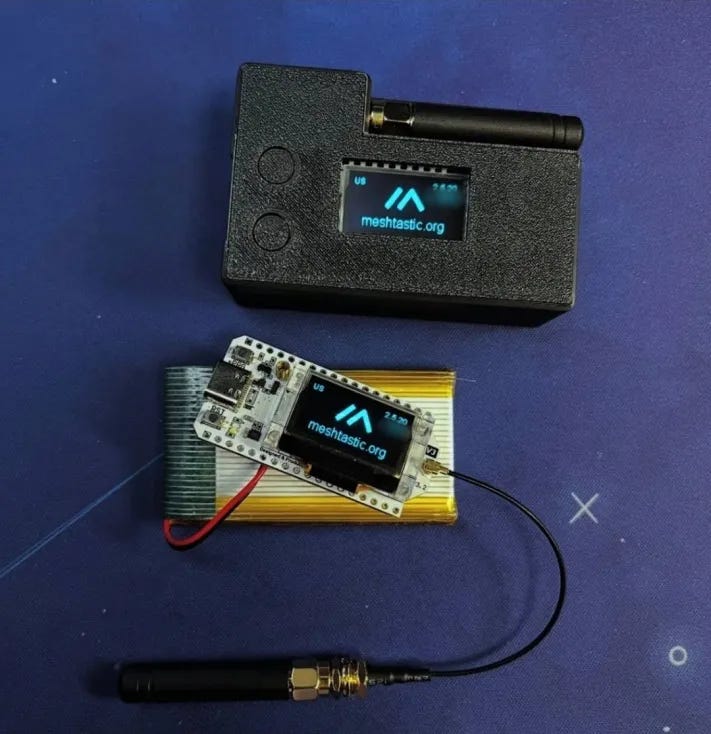
Meshtastic works entirely without cell service, requires no SIM cards or monthly fees. Its messages hop from device to device, forming a mesh network that prioritizes local resilience over dependence on centralized infrastructure.
While Meshtastic is a great tool for staying connected, it does have its limitations. You won’t be able to send messages across countries or even multiple states. You may have issues where its not always connected to the phone. Range depends heavily on your antenna, geolocation, and the device model you’re using.
Personal Experience
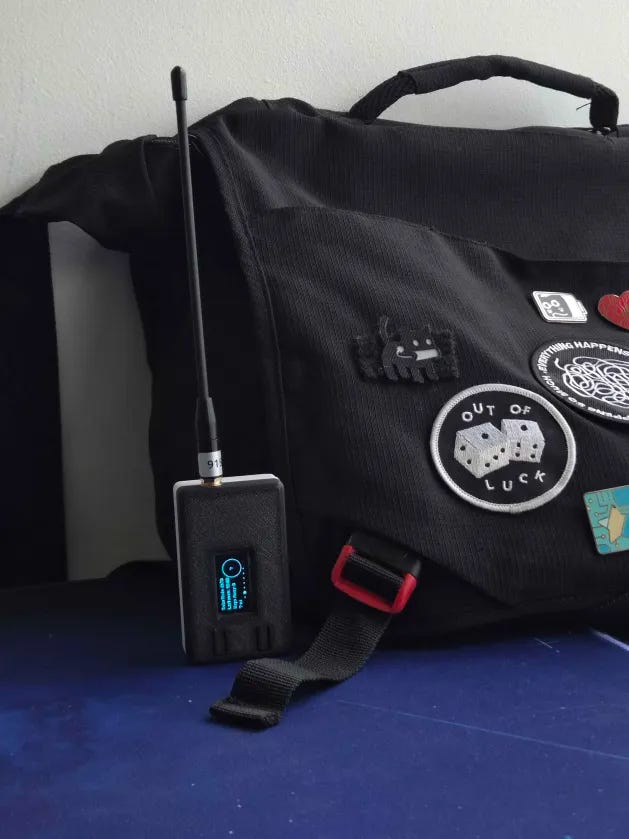
I’ve been using Meshtastic (I currently use the Heltec V3) for about six consecutive months now. Recently we’ve had an insane amount of snowstorm alerts and people nearby were posting real-time updates.
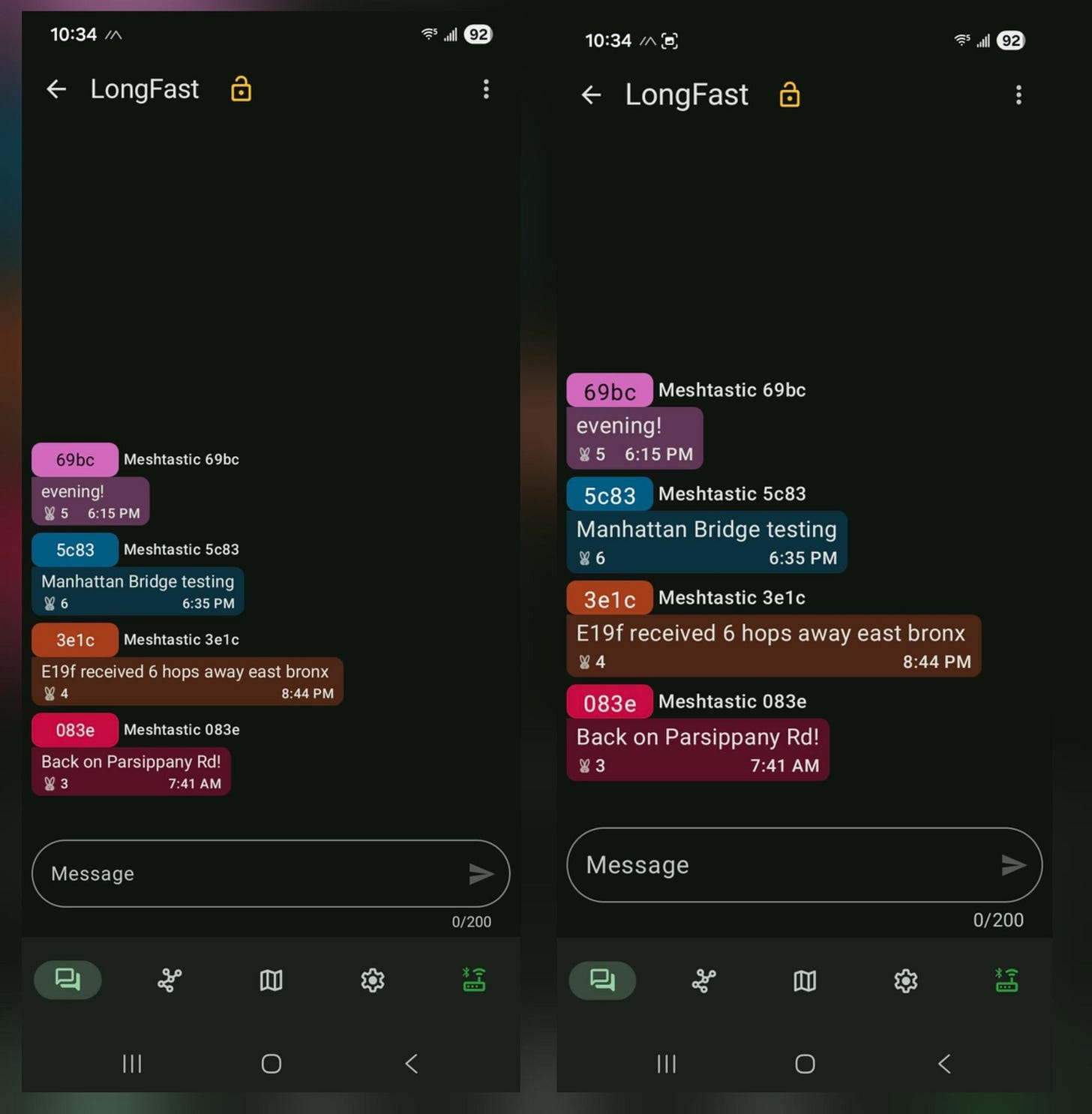
People were chatting about the snow, what was to be expected, people talking about how cold it was. This is a public channel where anyone with a radio can communicate to anyone else, if they have it enabled. I knew exactly what was happening in my local area. And in a situation like that, local information is what actually matters. Another feature I love is the ability to create encrypted group chats. You can set up a private channel and talk just with the people you trust, no cell towers and no carriers.
Depending on whether you live in a city or a rural area, the channels may be different, often due to network congestion. You might be lucky enough to already have an established community. Try sending a message and see what responses you get!
When I first started, I sent out a message and received an automatic reply directing me to a website. The site highlighted network settings, community information, local meetups, and even events not directly related to Meshtastic but aimed at bringing the community closer together.
What You Can Do Now
If any of this resonated with you, I recommend buying one radio.
Make sure to update the firmware on your device as you get started. The easiest way to do that is to use the Web Flasher. The latest stable release, even if labeled Beta, is generally a very safe option. Research your radio preset configurations near you. Each county may be different. if you don’t know try to send a test message when your settings are configured like this:
Region - US
Preset - LongFast
Longfast is a commonly used option, and in many cases you’ll receive preset (canned) responses to guide you, especially if a location is congested. If you’re looking to compare settings, this is a good starting point for beginners. See below.
LORA:
Region - US
Preset- LongFast
Number of Hops - 3
Ignore MQTT - OFF (this is optional)
Ok to MQTT - ON (this is optional)
Primary Channel:
Name - Left Blank
PSK - AQ==
Once everything is setup, test it! Talk to people near you. Practice before you need it! Once you’re comfortable, get a second one and practice with a friend. Try it on a hike or at a concert where phone reception is terrible.
Because the worst time to learn a new system is during an emergency.
Remember that communication doesn’t have to be owned or centralized. Build your alternatives before someone decides you can’t.